
| Tool | Platform | Free Tier | Upscaling | Face Enhancer | Batch Mode |
| Upscale.pro | Browser | ✅ | ✅ 600% | ✅ | ✅ |
| Topaz Gigapixel AI | Desktop | ❌ | ✅ 600% | ⚠️ manual | ✅ |
| Adobe Super Resolution | Desktop | ❌ | ✅ 400% | ⚠️ manual | ✅ |
| Remini | Mobile/Web | ✅ | limited | ✅ | ✅ |
| Let’s Enhance | Browser | ✅ | ✅ ~400% | ⚠️ limited | ✅ |
| VanceAI | Browser | ✅ | ✅ ~400% | ✅ | ✅ |
| AI Image Enlarger | Browser | ✅ | ✅ 800% | ⚠️ no | ✅ |
| Pixelmator Pro | Desktop | ❌ | ✅ ~400% | ⚠️ manual | ✅ |
| Fotor GoArt | Web/Mobile | ✅ | ✅ ~200% | ⚠️ partial | ✅ |
| Pixop | Web/API | ❌ | ✅ | ✅ | ✅ |
1. Upscale.pro — Free AI Image Enhancer & AI Upscaler
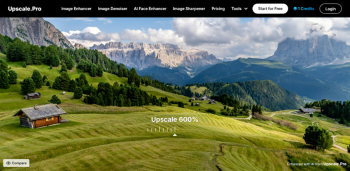
As a web-based platform, Upscale.pro doesn’t require any downloads or subscriptions for basic functionality. Its tools include an AI image enhancer, denoiser, unblur, face enhancer, photo retoucher, and more. This one‑click ecosystem makes it ideal for users at all levels, from novices wanting to enhance images for social media to professionals restoring vintage photos.
Pros:
- Free tier with generous features
- Simple, intuitive interface
- Comprehensive toolset (denoise, unblur, face retouch, batch processing)
- High-resolution output up to gigapixel without watermarks
Cons:
- Limited manual adjustments; no sliders or parameters
- 10 MB upload cap; may require resizing for bigger files
- No desktop offline support
2. Topaz Gigapixel AI
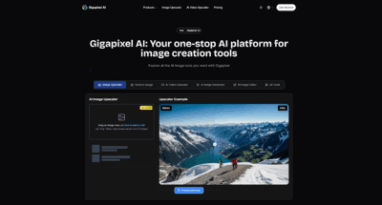
A powerhouse among AI upscalers, Topaz Gigapixel AI is renowned for enlarging images up to 600% while preserving edge detail and avoiding artifacts. It’s downloadable software, not web‑based.
Pros:
- Advanced model training for natural enhancement
- Batch processing with detailed parameters (faces, lines, edges)
- Supports RAW and TIFF formats
Cons:
- Paid software (~$99)
- Requires install and periodic updates
3. Adobe Photoshop

Adobe’s Super Resolution feature (via Adobe Camera Raw or Lightroom) uses AI to quadruple image resolution. While not fully automated, it’s integrated into a powerful editing suite.
Pros:
- High-quality upscaling with manual control
- Works seamlessly with existing editing workflows
Cons:
- Subscription required (Creative Cloud)
- Requires intermediate skill level
4. Remini
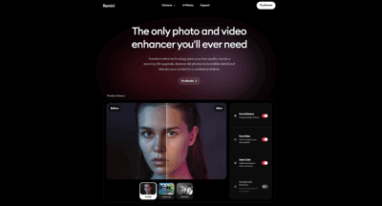
A popular mobile AI enhancer, Remini excels at enhancing people’s faces in photos, restoration, and fixing blurry or pixelated imagery.
Pros:
- Great for portrait enhancements
- Fast, mobile-friendly, free tier available
Cons:
- Subscription model for heavy usage
- Privacy concerns with mobile app access
5. Let’s Enhance
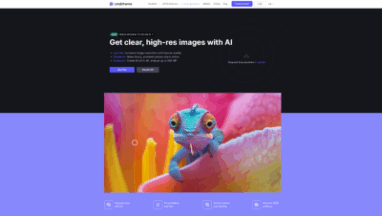
A web-based AI upscaler and enhancer for both photos and art. It brings a wide range of scaling presets and style filters.
Pros:
- Variety of AI models (Photo, Art & Design)
- Batch upload support
Cons:
- Limited free credits
- Needs manual tuning to avoid over-processing
6. VanceAI

VanceAI offers an all-in-one online platform for enhancing images—including face enhancement, sharpening, background removal, and more.
Pros:
- Dedicated face enhancing model
- Fast processing time
Cons:
- Watermarked free downloads
- Paid credits or subscription needed for full features
7. AI Image Enlarger
A straightforward web tool focused purely on scaling images up to 800% with minimal distortion.
Pros:
- Simple and single-purpose
- No installation, fast upload
Cons:
- Limited toolset (just upscaling)
- Credit-based free version
8. Pixelmator Pro
Mac-only editing software with built-in machine learning tools for super‑resolution and automatic enhancements.
Pros:
- Chess‑quality output with fine tuning control
- One-time purchase, no subscription
Cons:
- Limited to macOS
- Heavier learning curve than free web tools
9. Fotor GoArt & Enhance
A web/mobile service that includes AI enhance tools suitable for social media, marketing content, or quick photo fixes.
Pros:
- Easy mobile/web integration
Cons:
- Ads and watermarked outputs in free version
- Limited for advanced users
10. Pixop
A video and image post-processing platform powered by AI—ideal for filmmakers, editors, and high-end creators.
Pros:
- Excellent for frame-by-frame image quality improvement
- API access for automation
Cons:
- Business-level pricing
- Overkill for casual users
How to Choose the Right AI Image Enhancer
With so many AI image enhancer options on the market, your best choice depends entirely on your priorities: cost, simplicity, quality, and file formats. When evaluating an AI enhancer, consider:
- Primary use case – Are you focusing on portraits, prints, social media, old photos, or e-commerce?
- Platform – Need mobile convenience, desktop integration, or a web-only workflow?
- Budget – Free tiers may suffice for casual users, while professionals should consider paid tools like Photoshop or Topaz.
- Automation vs Control – Do you prefer automatic one-click results, or do you want granular adjustments?
- File limit needs – If working with large TIFF/RAW files, desktop tools are more suitable.